

Remember one password. Forget the rest.
Passyble keeps your logins, 2FA codes and passkeys in one vault that's locked on your device, then fills them in for you.
- Windows
- Android
- Chrome, Edge, Brave and Firefox
 Passyble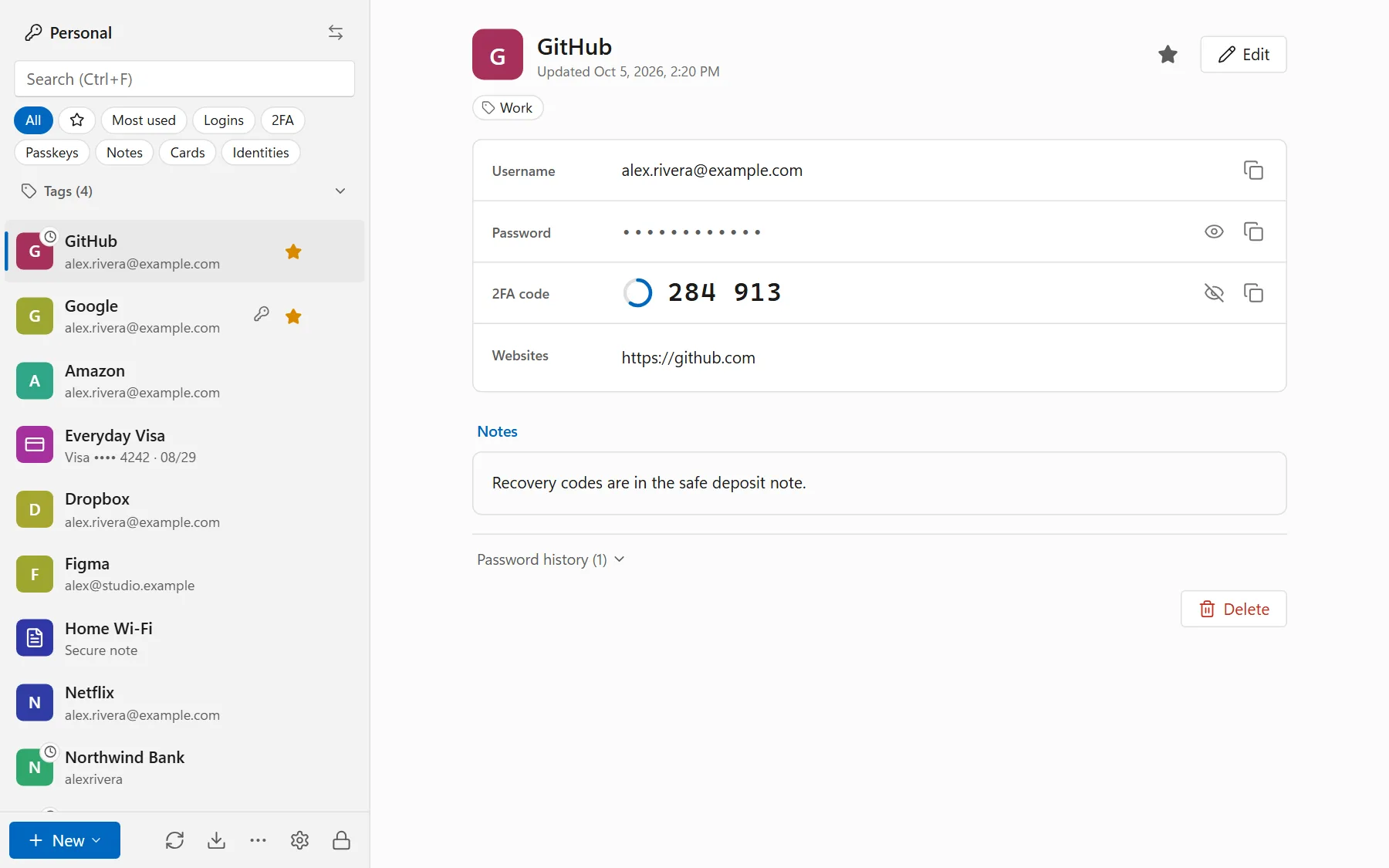


- No account There's no Passyble account to make, ever.
- Locked on your device Before anything is synced or backed up.
- Open source Anyone can check the code. It's coming to GitHub.
- No tracking No ads, no analytics, no crash reports.
The dull parts of passwords, done for you.
Saving, typing, the six-digit code, the password you reused in 2014. Passyble takes them off your plate.
Fills logins in
On your phone, in your browser, and in Windows apps with a keyboard shortcut.
Keeps 2FA codes with the login
The six-digit code is filled right after the password, or shown with a Copy button.
Does passkeys too
Sign in without a password on Android and in the browser. Passkeys follow your vault to your other devices.
Syncs where you say
Your Google Drive, a OneDrive or Dropbox folder, your own cloud server like Nextcloud, or your own Passyble Server. Or nowhere at all.
Moves your old vault over
Bring your passwords from your browser, Bitwarden, 1Password, LastPass and other apps.
Points out the weak spots
Shows which passwords are weak, reused, old or showed up in a data leak.
Why Passyble
A password manager that doesn't need you to trust a cloud.
No account to make
Download, choose a master password, done. There's nothing to sign up for, so there's nothing about you on our side.
Your vault stays with you
It lives on your devices, locked with your master password. Sync is optional, and you pick where it goes.
Sync on your terms
Your Google Drive, a OneDrive or Dropbox folder, your own cloud server, or your own Passyble Server.
Open source
Anyone will be able to check how it works. The code is coming to GitHub.
No ads, no tracking
Not in the apps, and not on this website either: no analytics, no cookies, no trackers.
Straight about what's ready
Passyble is new. We say what works today, what's coming, and that it hasn't had an outside security review yet.
The apps
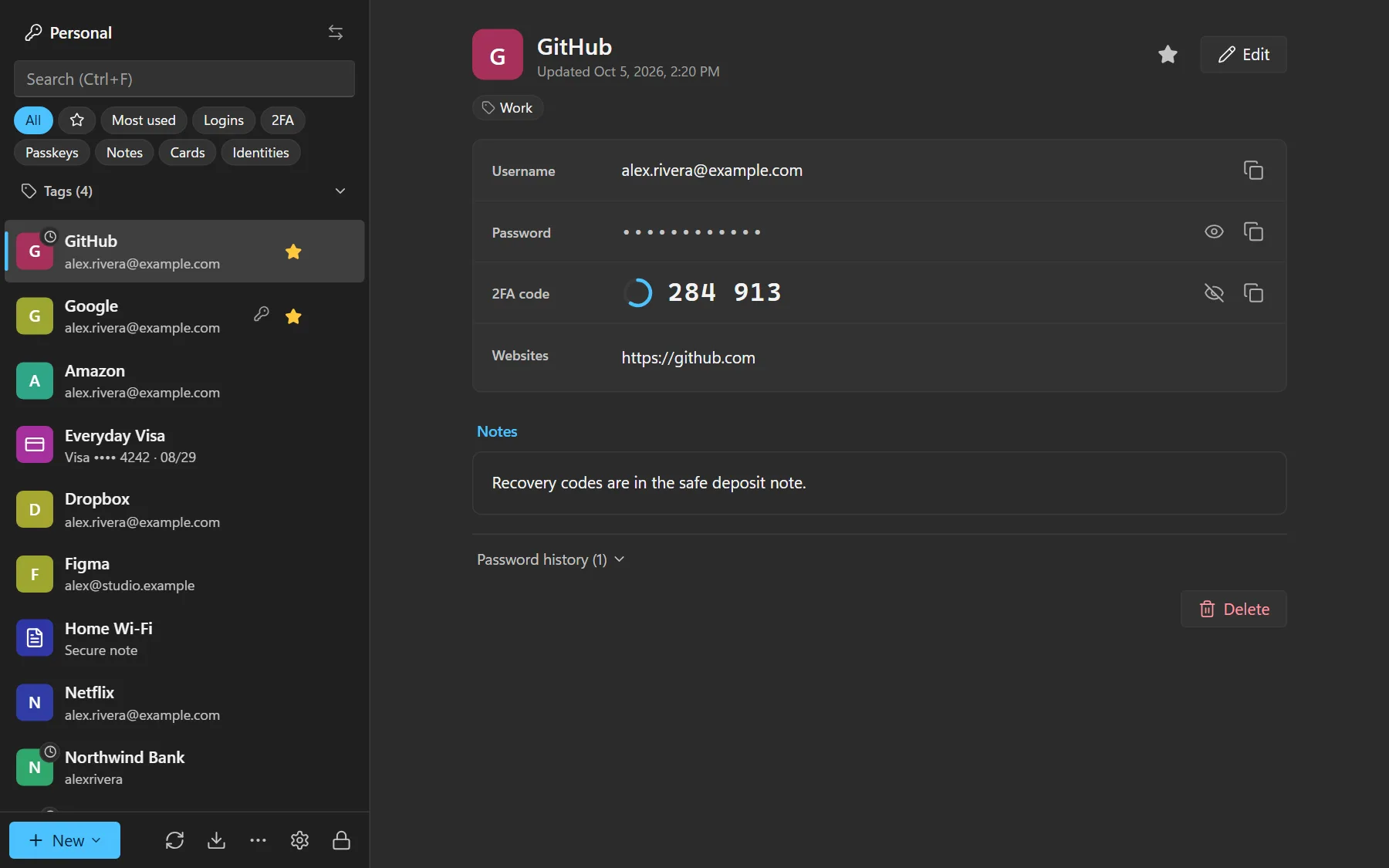
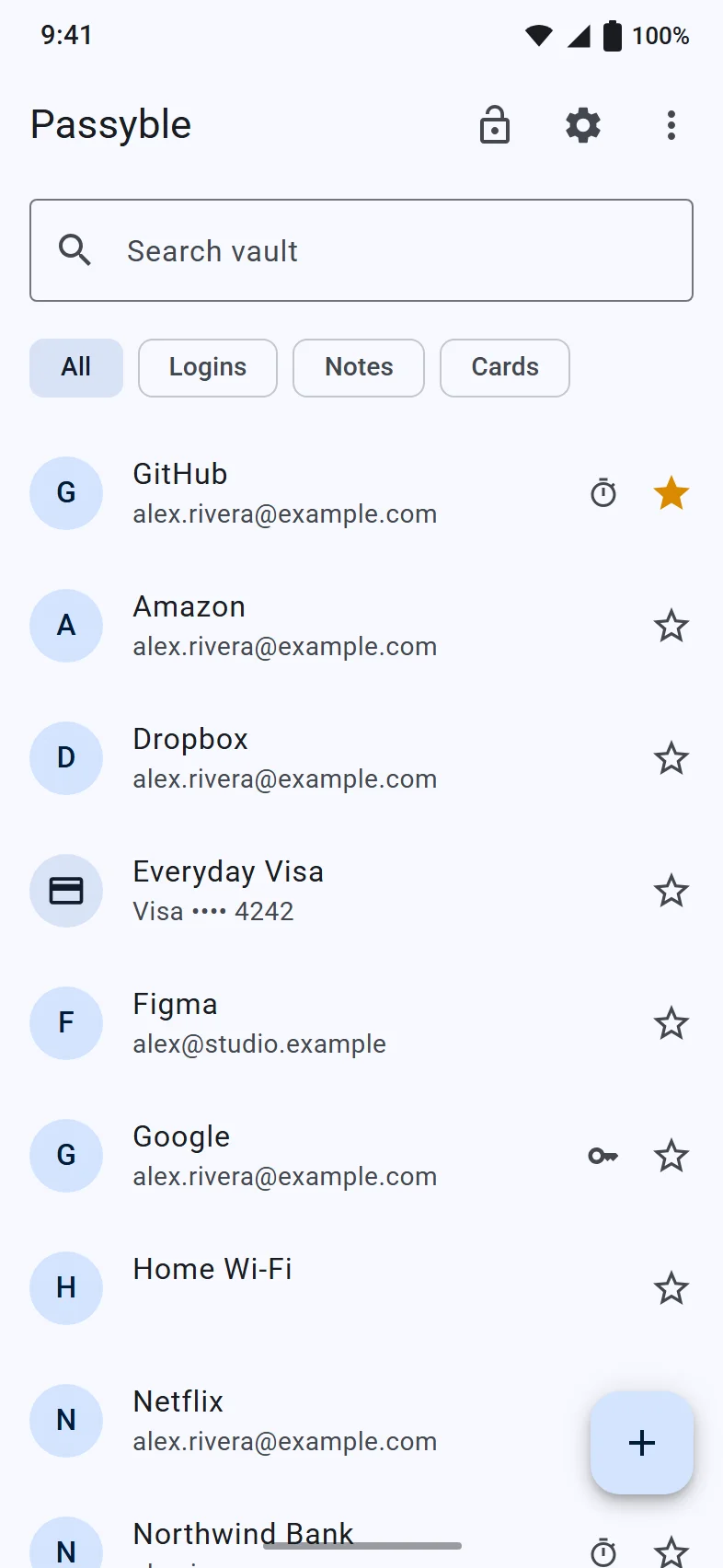
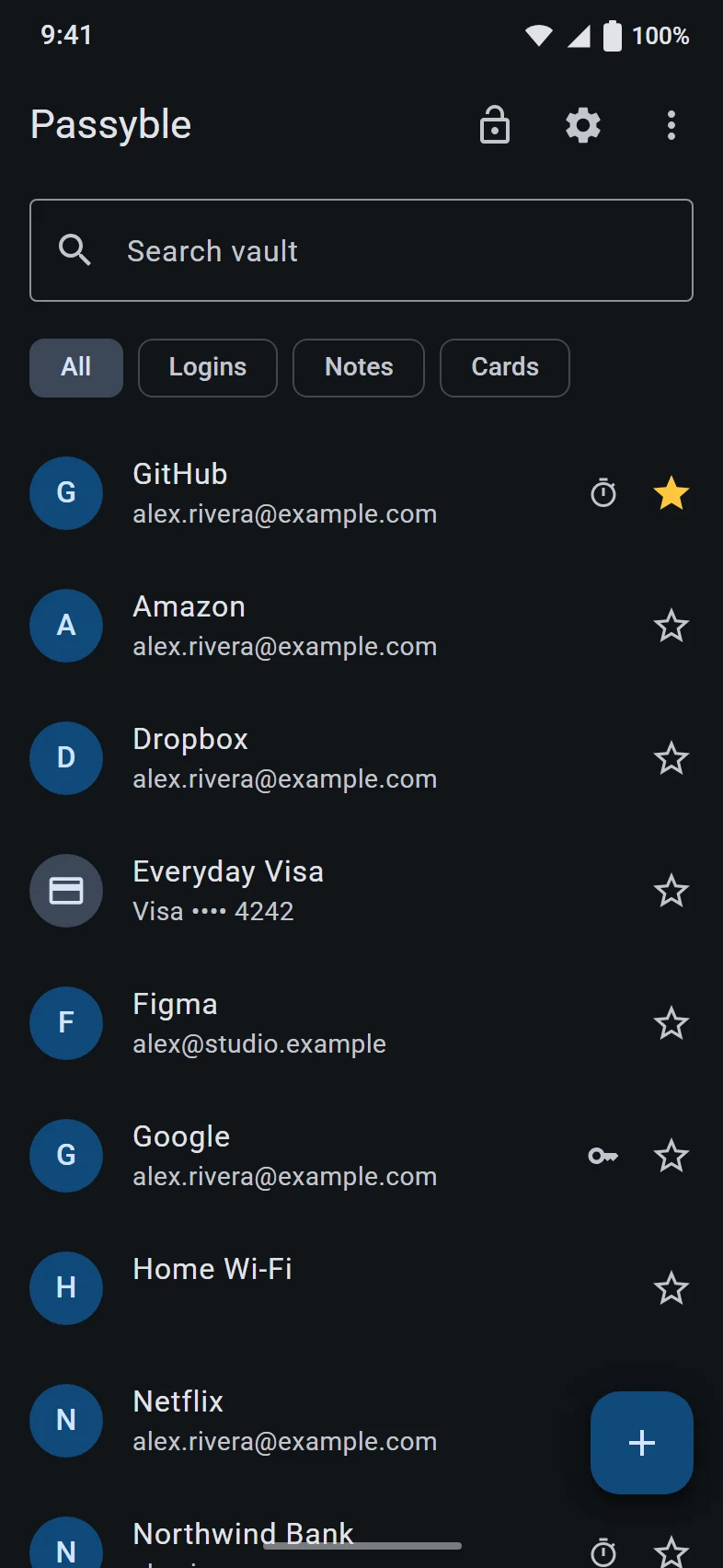
Three apps, one vault.
The Windows app keeps your vault. The browser extension and the Android app fill your logins from it. Real screens, made-up data.
See all the screens
Privacy
Your passwords are yours. We can't see them.
- Locked before it leaves
- Your vault is locked with your master password on your own device. Without that password, the file is just scrambled data.
- We can't see your passwords
- There's no Passyble account and no Passyble cloud. Nothing from your vault ever comes to us: no passwords, no names, no usage data.
- The names are hidden too
- Not just passwords: site names, web addresses and usernames are locked as well.
- A private breach check
- Checking whether a password showed up in a data leak sends only a tiny scrambled piece of it, never the password itself.
Open source
Don't take our word for it. Check the code.
One vault on every device.
Windows comes first, then Android and the browser extension. Download links go up here once they're ready.
- Windows Windows 10 and 11. Keeps your vault, unlocks with Windows Hello, fills apps and the browser. Coming soonDetails
- Android Android 9 and later. Fills apps and websites, unlocks with your fingerprint or face. Coming to Google PlayDetails
- Browser extension Chrome, Edge, Brave and Firefox on Windows. Works with the Windows app. Coming soonDetails
- Passyble Server Optional: run your own sync server, with backups and older versions of your vault. Coming with the codeDetails
Do I need an account?
No. There is no Passyble account. You create a vault on your device and lock it with a master password only you know.
Where is my vault stored?
On your devices, and wherever you choose to sync it: your Google Drive, a OneDrive, Dropbox or Syncthing folder, your own cloud server (like Nextcloud), or your own Passyble Server. Those places only ever get the locked vault file.
Can Sensyble see my passwords?
No. Your vault is locked with your master password on your device, and nothing from it ever comes to us. We don't run a cloud for your passwords, and the apps have no ads or tracking.
What if I forget my master password?
Nobody can reset it, because nobody else has it. That's why Passyble lets you make a recovery code ahead of time. Print it or save it somewhere safe and offline. See the guide.
Is Passyble open source?
Yes. Anyone will be able to read, check and change the code. It isn't public yet: it's coming to GitHub. What that means for you.
Does the browser extension work on its own?
No. It works together with the Passyble app for Windows, which keeps your vault. The extension only ever gets one login at a time, for the site it belongs to.
Can I bring my passwords from another app?
Yes: from Chrome, Edge, Brave, Firefox, Safari, Bitwarden, 1Password, Proton Pass, KeePassXC, LastPass, Dashlane, and 2FA apps like Google Authenticator, Aegis and 2FAS. The file is read on your device. How to import.
Which devices does it run on?
Windows 10 and 11, Android 9 and later (passkeys need Android 14), and Chrome, Edge, Brave and Firefox on Windows through the extension.
Can I run my own sync server?
Yes, with Passyble Server, a small program you run yourself. It keeps the locked vault file, older versions and backups, and never sees your master password. More about the server.
Has Passyble been checked by security experts?
Not yet. Passyble is new and hasn't had an independent security review. You should know that before you trust it with anything.
When can I download it?
Not yet. The Windows app is coming soon, the Android app is coming to Google Play, and the browser extension will follow in the browser stores. The download page shows where each one stands.
How do I delete my data?
It's on your devices and in the storage you chose for sync, so you delete it there. The delete your data page has the steps for each app.
Questions, bugs, a security report? Email a person.
[email protected]More on the contact page. Passyble is made by Sensyble.